 Let’s take a closer look at our improvements to Terminal and File Transfer connections
File Transfer
Before we jump into the new terminal features, let’s start with File Transfer connections.
Royal TS V26 adds support for Amazon S3 compatible endpoints. That means you can now connect not only to AWS S3, but also to S3-compatible storage providers and self-hosted object storage systems.
We also added a graphical file browser for SSH-based connections. This is currently best effort and expects POSIX-style behavior. If the remote system allows us to execute ls commands and the output can be parsed, Royal TS can show a graphical representation of the remote filesystem. In other words: if the server gives us something sensible, we turn it into something clickable.
Terminal Improvements
Terminal connections have gotten several major improvements in Royal TS V26.
File Browser Panel
For SSH-based terminal connections, you can now open the File Browser panel from the Actions ribbon tab.
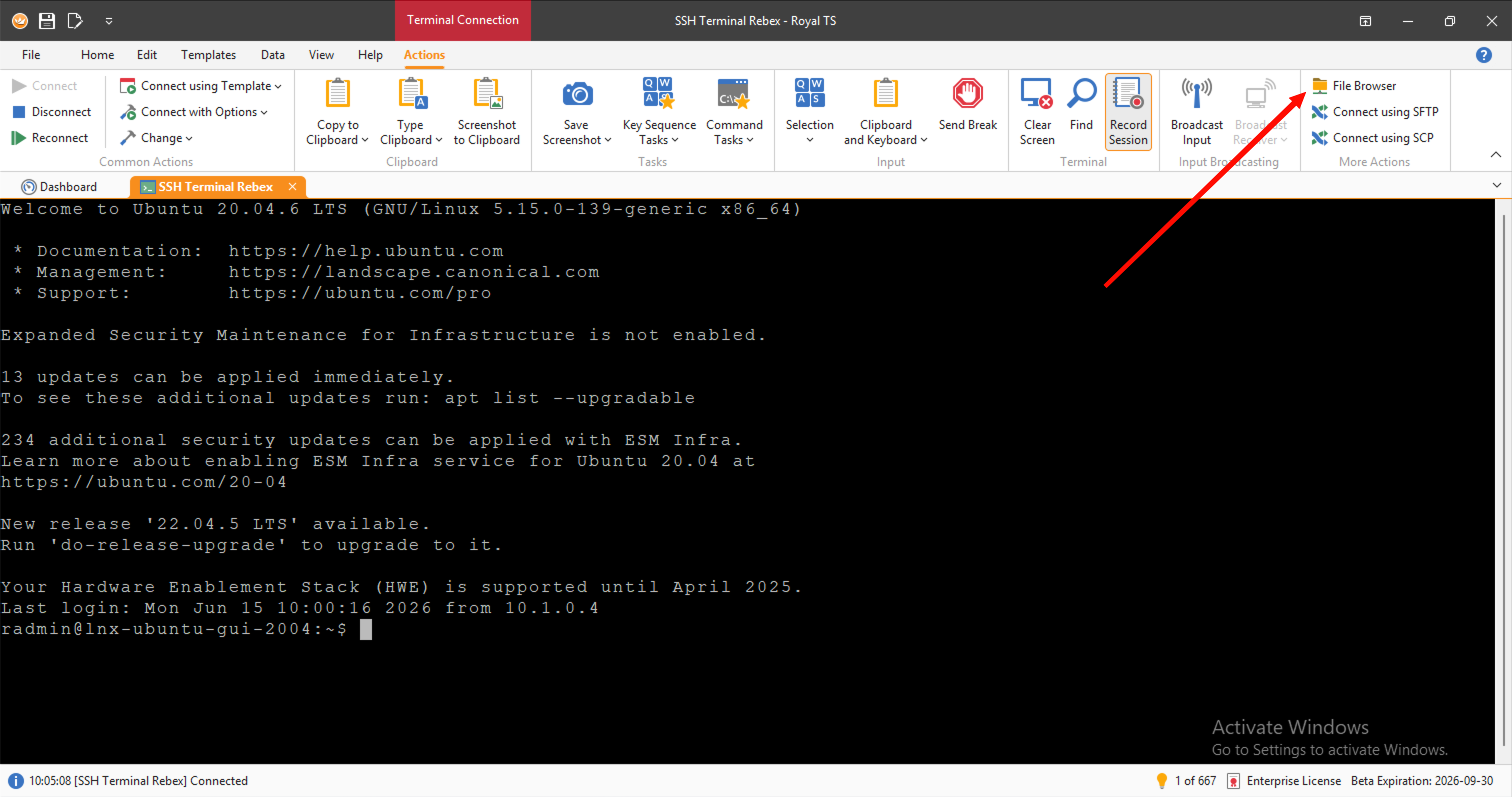
If probing the remote system succeeds, the File Browser action is enabled and the panel appears on the right side of the terminal. From there you can browse files, upload, and download without leaving the terminal session.
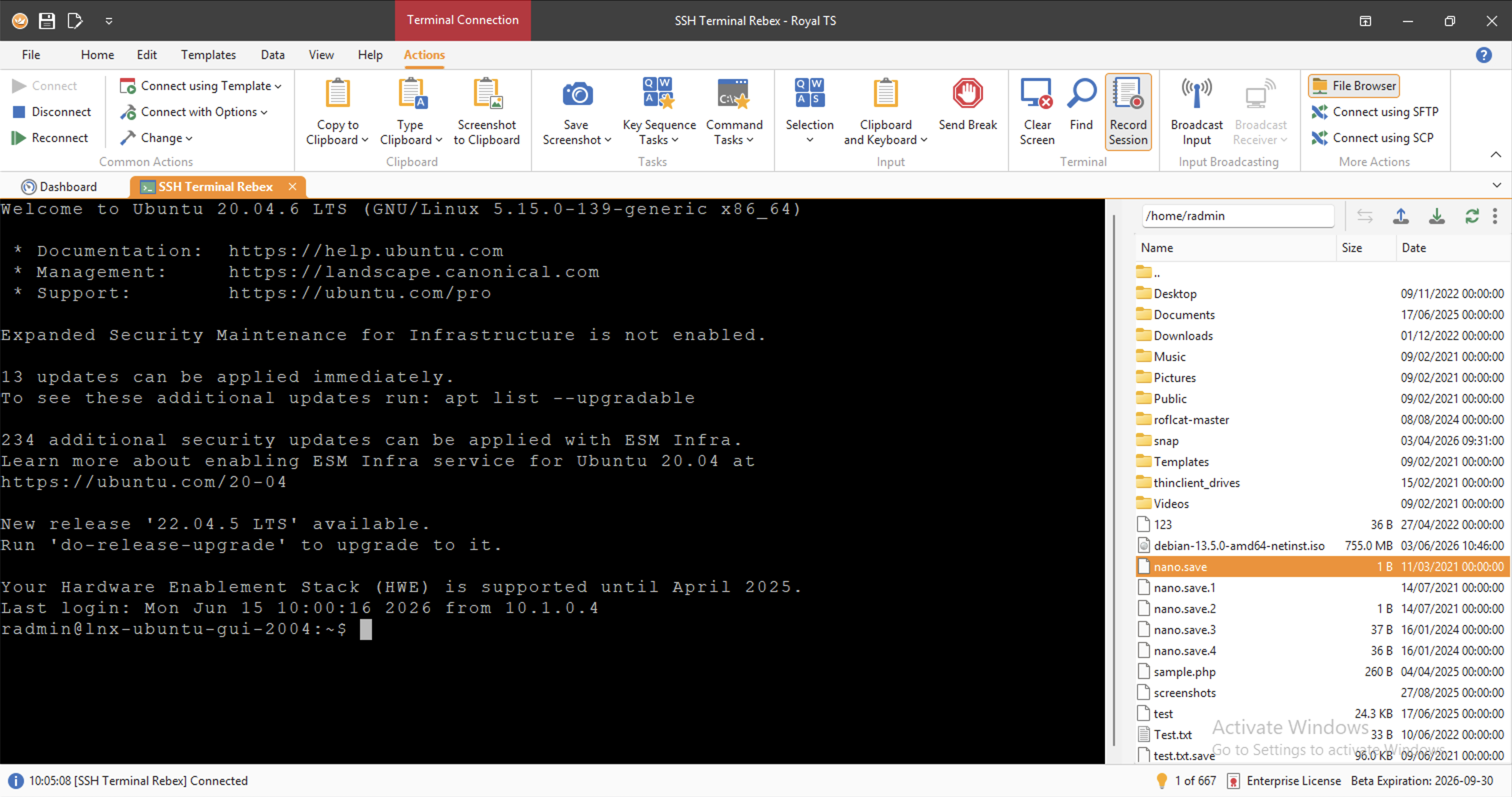
Right-clicking a directory in the file browser also lets you quickly change the terminal to that directory. No copy, paste, quote path, typo, sigh, and repeat.
There is also a sync feature that lets the file browser follow the directory you are currently in inside the terminal. To enable this, Royal TS injects a small shell hook once during the session.
Supported shells include bash, zsh, fish/fsh, and POSIX-style shells such as sh, dash, ksh, and mksh, with a portable fallback for compatible shells.
Custom Terminal / PTY Support
Royal TS V26 also adds support for custom terminal PTY connections.
You can configure a custom terminal executable such as cmd.exe, pwsh.exe, or another shell to get a real interactive console session directly inside Royal TS.
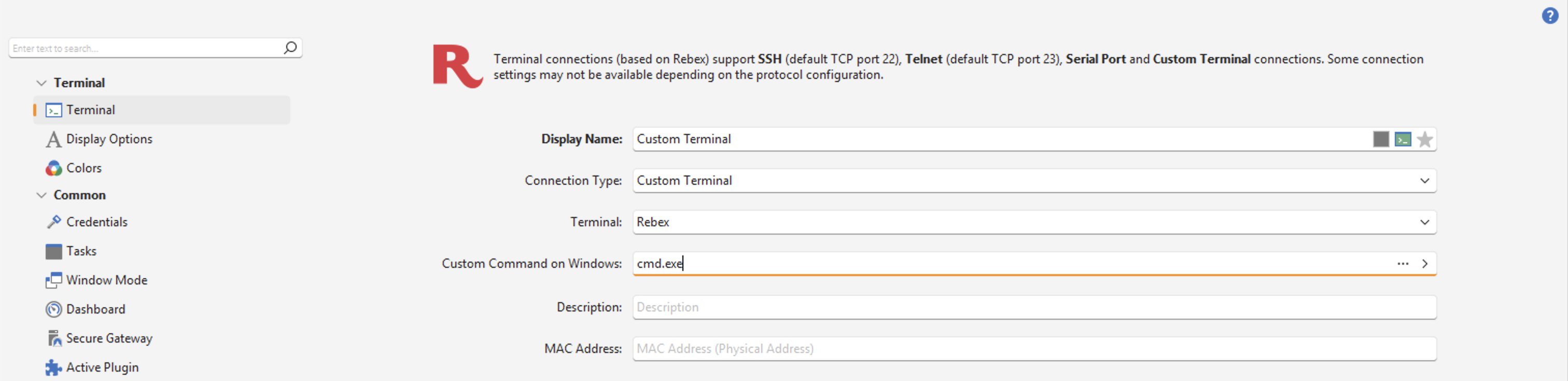
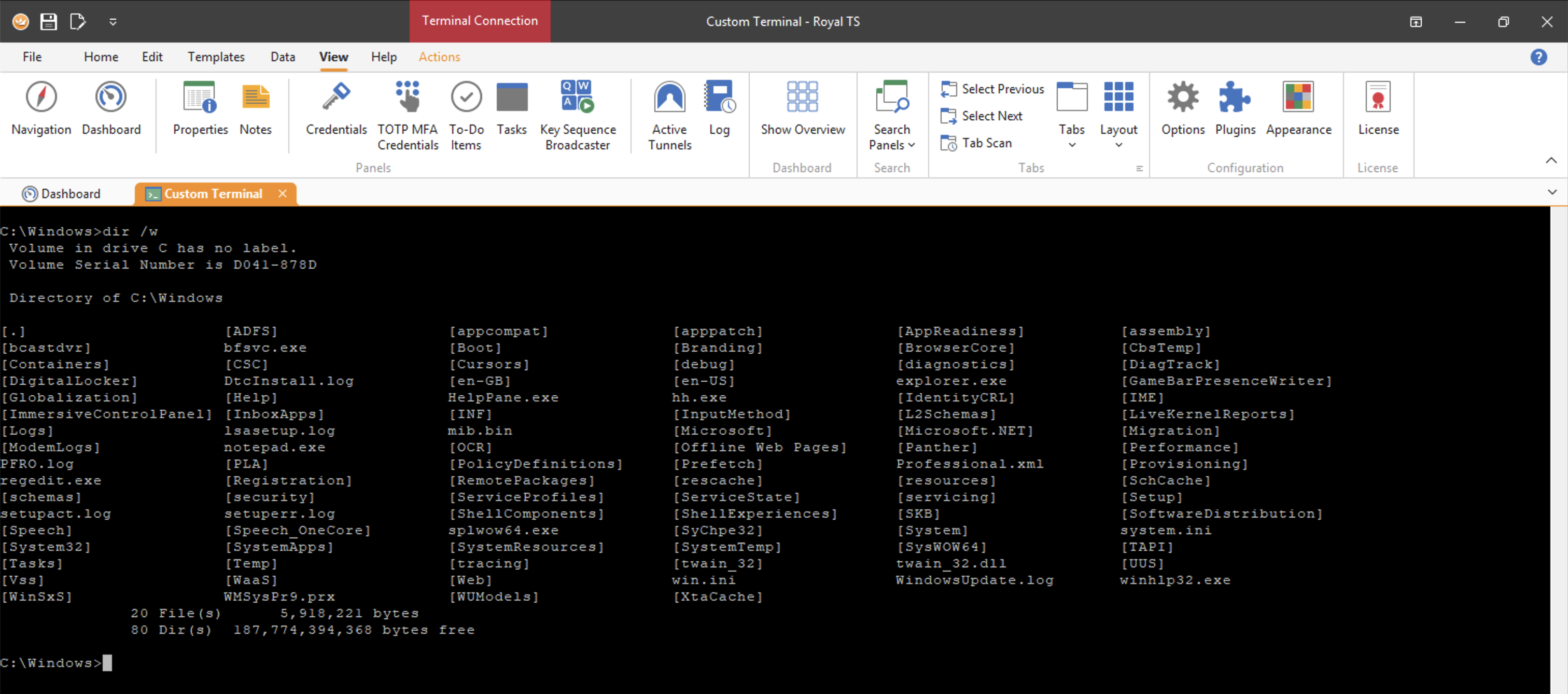
The Advanced page lets you configure the initial working directory. You can also define custom environment variables, including values resolved through replacement tokens. This means protected custom fields and custom properties can be mapped securely into the terminal environment.
Use Case: DevOps Without Sprinkling Secrets Everywhere
This opens up a very useful DevOps workflow.
Imagine you need API keys, passwords, tokens, or other secrets for a specific task. Instead of storing those values permanently in your normal user environment, you can keep them in protected custom fields or custom properties and map them as environment variables only for a dedicated custom terminal.
Combine that with key sequence tasks, and you can automate one or more commands for convenient access.
The main benefit: your regular interactive user session does not need to carry sensitive data all the time. With agentic AI becoming more common, environment variables are an increasingly attractive target for prompt injection and accidental leakage. Isolating secrets inside focused custom terminals reduces that risk significantly.
Your shell gets the keys only when it actually needs them.
Royal Terminal (Experimental)
For a long time, Royal TS relied on Rebex’s terminal implementation, and it has served us well for more than a decade.
But terminal expectations have changed. True color support matters. Glyph fallback matters. Tools like btop use Braille characters heavily, and more modern terminal applications simply do not render correctly in older terminal engines.
So in Royal TS V26, we are shipping our own terminal implementation based on Ghostty.
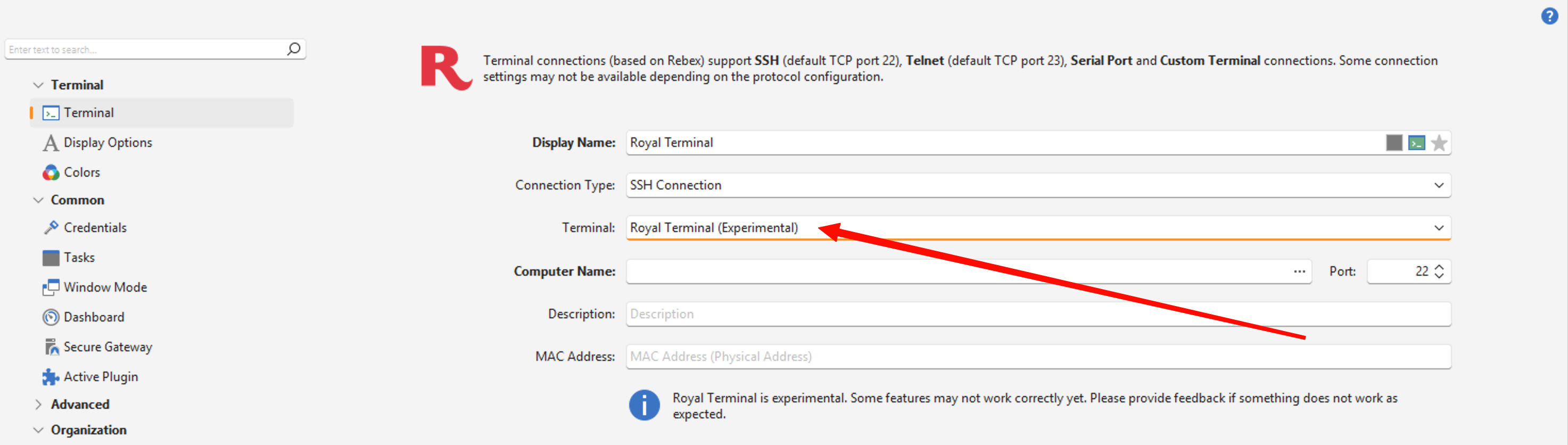
Royal Terminal was originally developed for Royal Connect using the cross-platform Avalonia UI framework, and we have now integrated it into Royal TS.
Royal Terminal supports ligatures, Kitty graphics protocol extensions, Sixels, text shaping using Harfbuzz or Pretext, and very fast text highlighting.
It is still experimental, but it is a major step toward a more modern terminal experience in Royal TS.
Royal Terminal is now open source and will become the main terminal plugin for Royal Connect.
You can find the GitHub repository here.
Please Test the Beta
These File Transfer and Terminal changes touch workflows that many of you use every day. That is exactly why we would be grateful for your feedback.
You can download the Royal TS V26 Beta from here.
A few practical notes:
- Your V7 license key works with the V26 Beta.
- Royal TS V7 and Royal TS V26 can be used side by side.
- You can test the Beta without replacing your existing setup.
If you run into issues, please open a support ticket or post in our community forums.


