 Royal TS V26 is getting close to the finish line. Before we send it out into the world, we’ve added a few substantial features—and polished enough edges that some of them are now suspiciously shiny.
Goodbye Internet Explorer, hello Edge
The old Internet Explorer-based web page plugin has officially retired. Its replacement uses Microsoft Edge WebView2 and is now the default web page plugin in Royal TS.
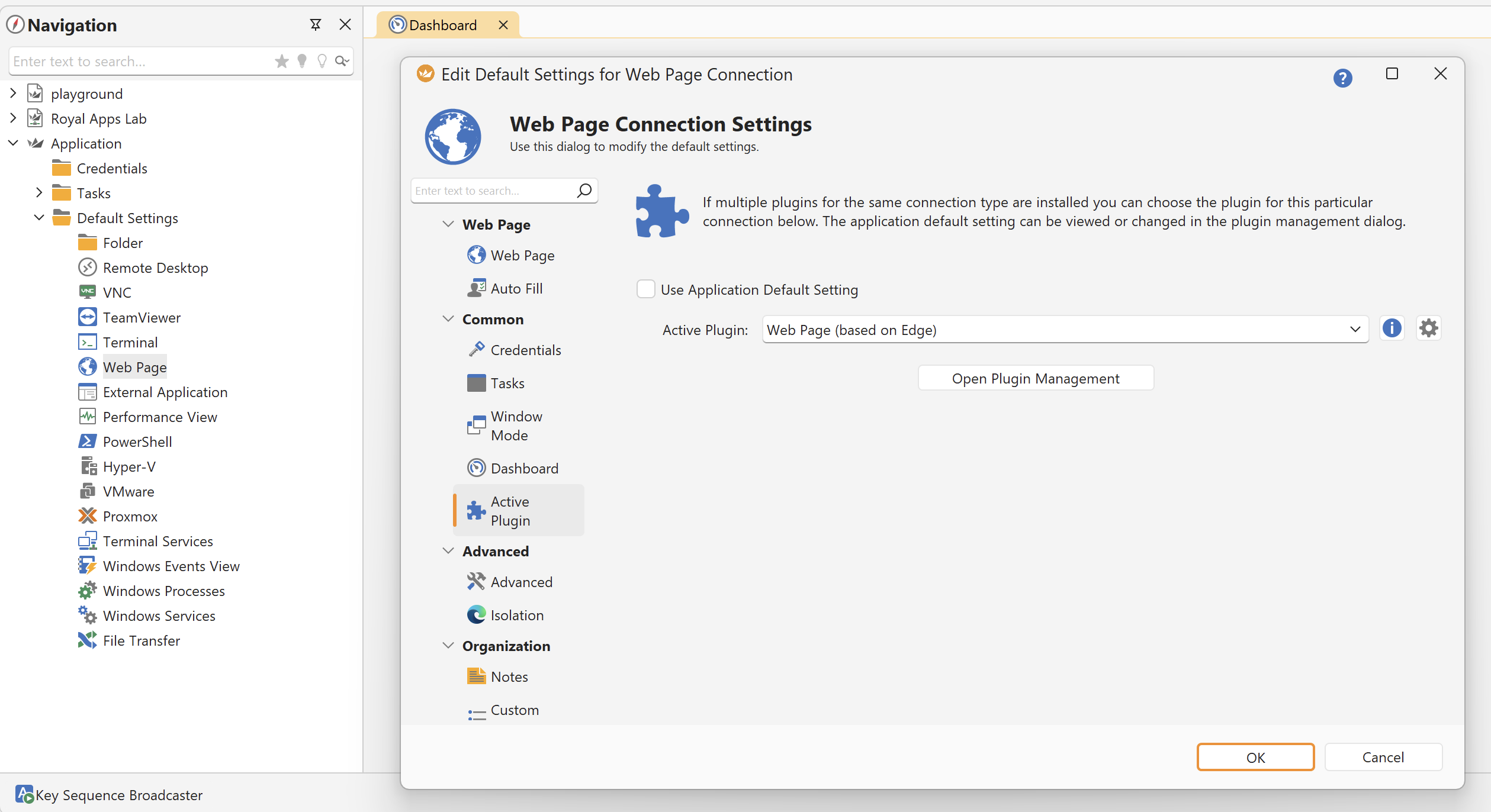
Besides supporting the modern web properly—a surprisingly useful browser feature—the Edge plugin offers better performance and lower resource usage than our Chromium-based plugin while providing almost the same rich feature set.
That includes Auto Fill, downloads, proxy and Secure Gateway support, custom user agents and CSS, certificate handling, browser controls, and session isolation. Dedicated sessions can keep cookies and browsing data separate, share them between selected connections using a Session ID, or clear everything when the connection closes.
The Chromium plugin remains available for scenarios that need it, but Edge should be the best starting point for most connections.
Proxmox joins the management family
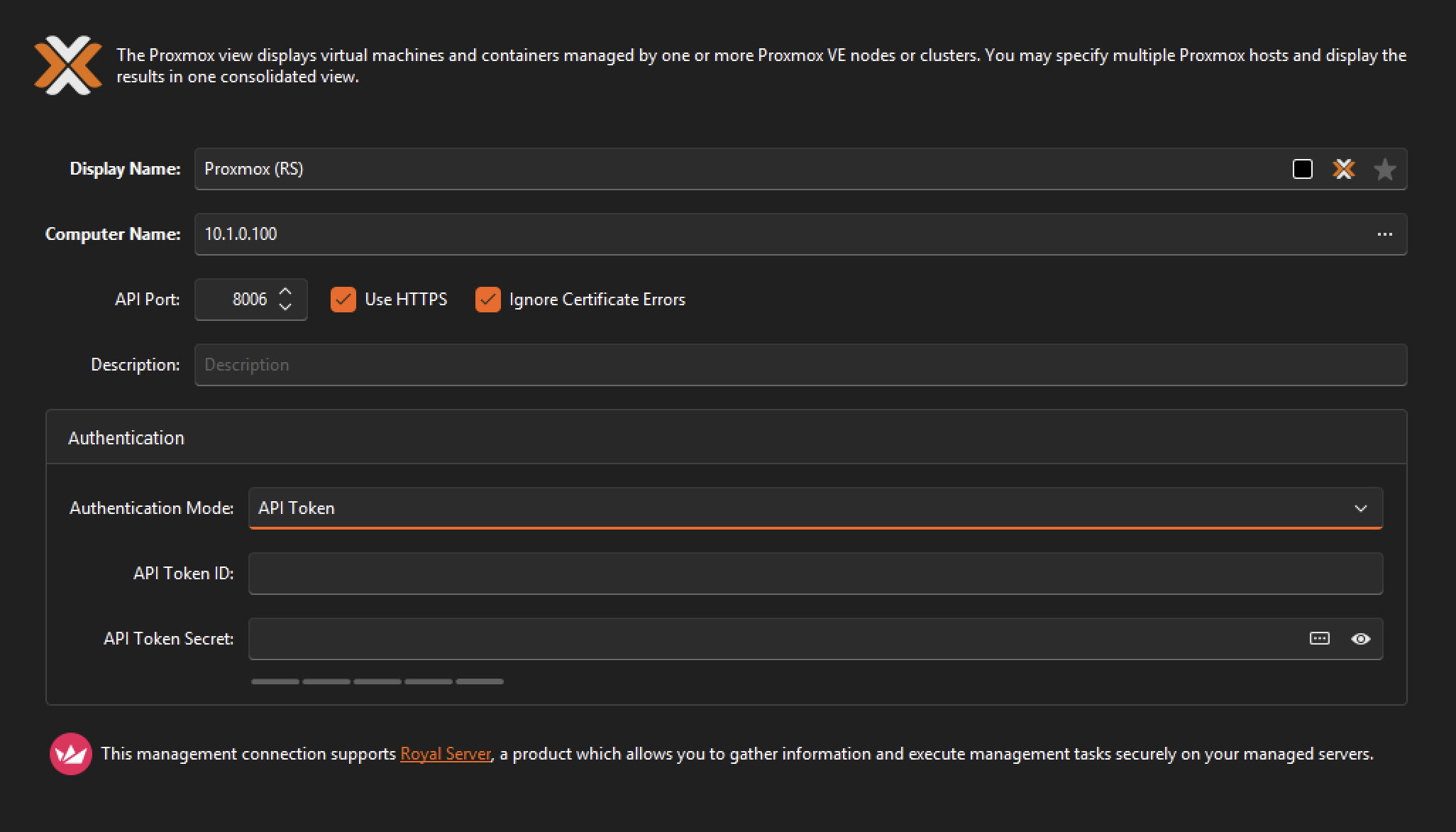
Royal TS V26 introduces a new Proxmox management plugin for managing QEMU virtual machines and LXC containers across hosts and clusters.
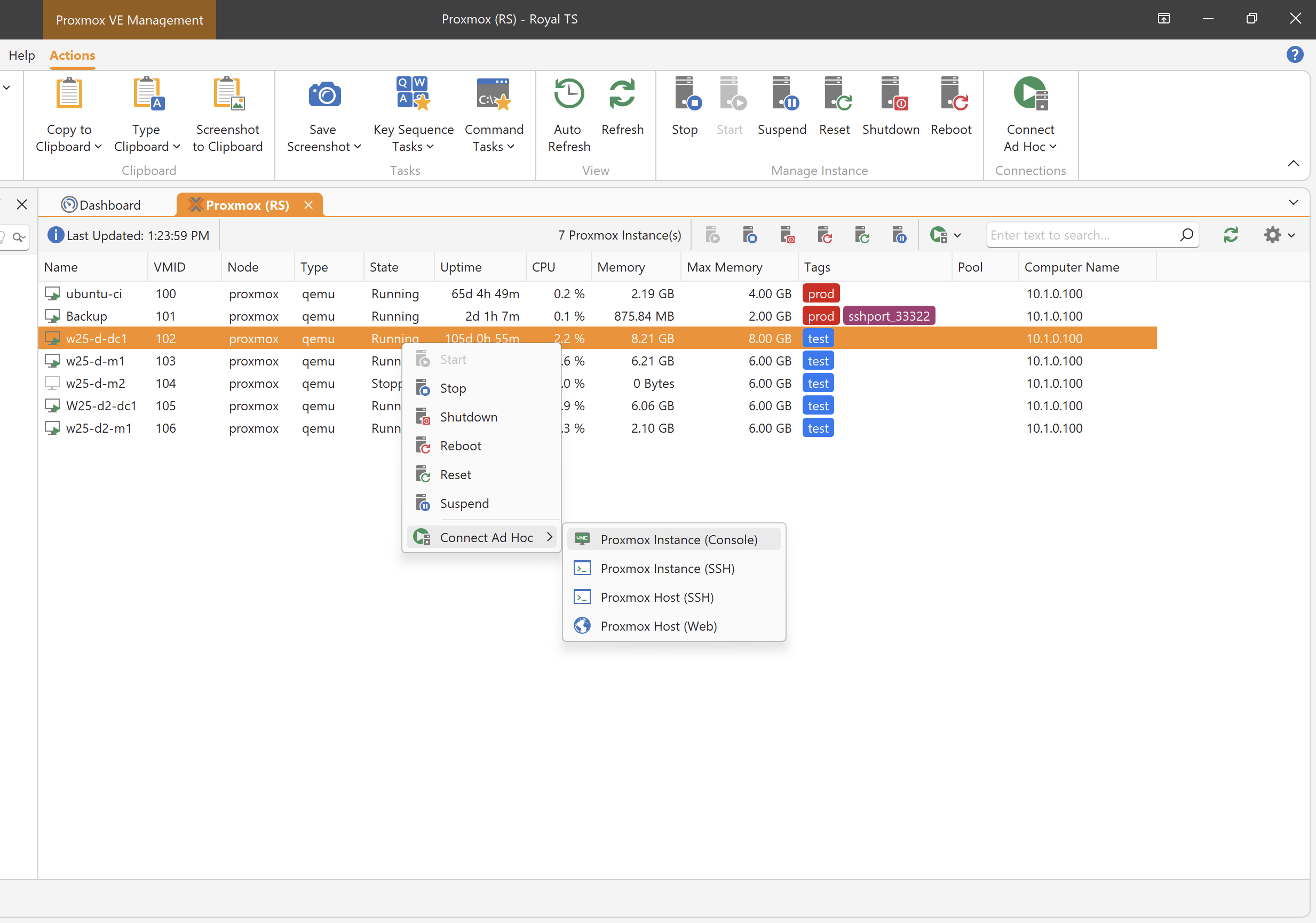
From the integrated dashboard, you can inspect instance state and perform the usual power operations: start, stop, shut down, reboot, reset, and suspend. Tags and lock states are shown directly in the instance list, making it easier to see what is happening before enthusiastically clicking Reset.
Getting connected is equally straightforward:
- Open the Proxmox web interface with automatic login
- Launch an integrated VNC console
- Start an ad hoc SSH connection to the Proxmox host
- Connect through SSH to a guest using its discovered IP address
The plugin supports password-based authentication as well as Proxmox API tokens. Its management and connection actions can run locally, through Royal Server, or via a Secure Gateway.
RDP learns some new identity tricks
Remote Desktop received several important authentication upgrades.
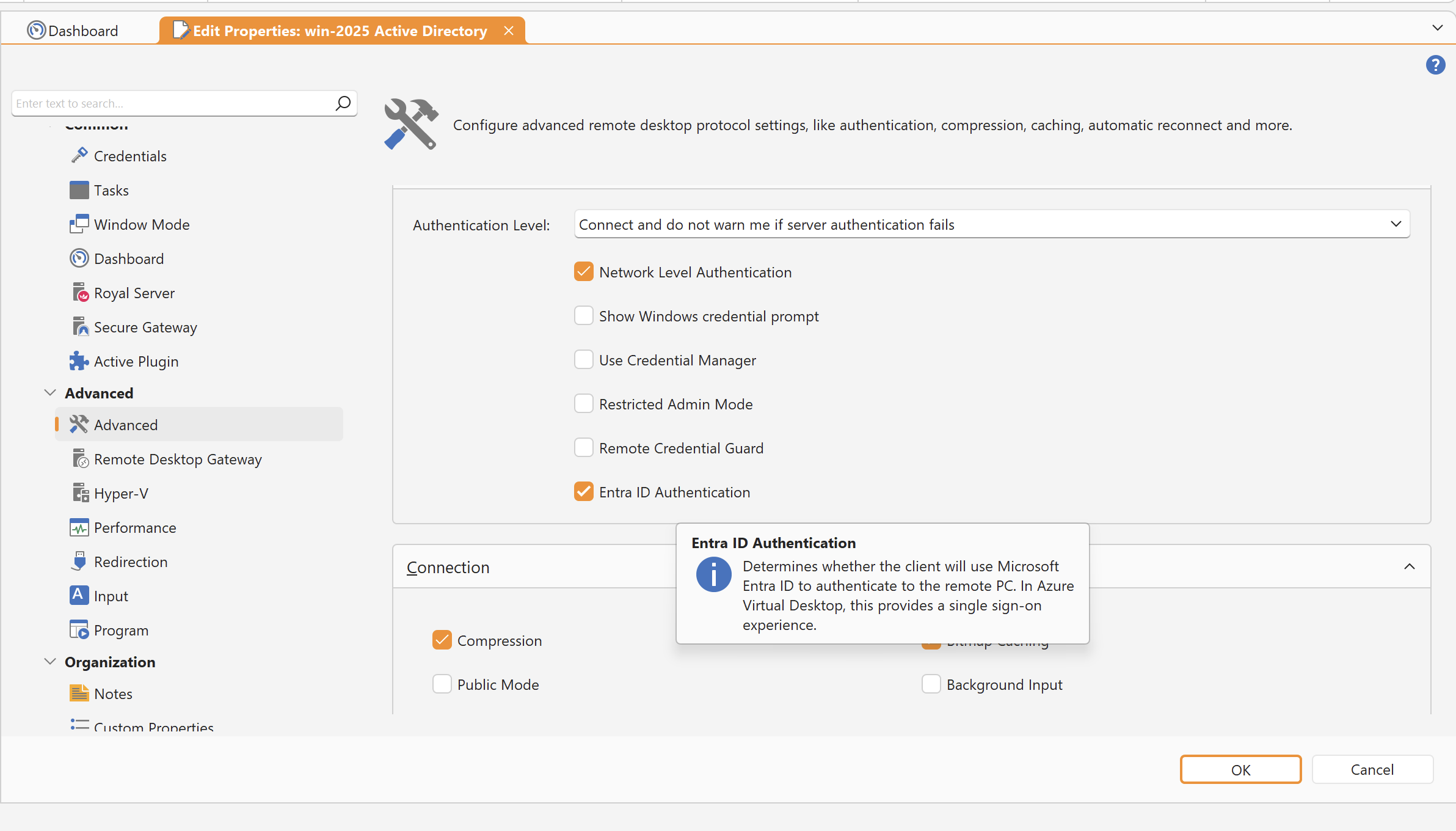
The FreeRDP-based plugin now supports Azure Virtual Desktop connections using Microsoft Entra ID authentication. Royal TS can import and directly open .rdpw workspace files, then handle the interactive sign-in inside the connection—including common MFA scenarios and FIDO2 passkeys or security keys.
Microsoft Entra ID authentication is also supported by the embedded Microsoft ActiveX-based RDP plugin, using the same native Windows authentication flow exposed by the Use a web account to sign in to the remote computer option in MSTSC.
We also added Remote Desktop Gateway access-token support for Pluggable Authentication and Authorization scenarios, including services such as CyberArk SIA. Both the Microsoft and FreeRDP plugins benefit from the gateway improvements.
Royal Terminal keeps getting better
Royal Terminal—the modern, Ghostty-based terminal renderer introduced with V26—has received another generous round of refinement.
It already brings fast rendering, ligatures, Kitty graphics, Sixel graphics, and support for local custom terminals such as PowerShell and cmd.exe. The latest work adds and improves:
- Configurable colors, including cursor and selection colors
- Custom key bindings for paste, scrolling, and font-size controls
- Automatic copying when a selection is completed
- Familiar Ctrl+Insert and Shift+Insert shortcuts
- Word, line, drag, and extended-selection gestures
- An option to hide the mouse pointer while typing
- Working-directory and environment-variable settings for custom terminals
- Better handling for AltGr, the numeric keypad, terminal mouse reporting, scrollback, Nerd Font glyphs, and Asciicast playback
We also fixed a collection of smaller issues involving focus, paste confirmation, screenshots, and keyboard shortcuts escaping into the surrounding UI.
Nearly there
You can download the Royal TS V26 Beta from here.
A few practical notes:
- Your V7 license key works with the V26 Beta.
- Royal TS V7 and Royal TS V26 can be used side by side.
- You can test the Beta without replacing your existing setup.
If you run into issues, please open a support ticket or post in our community forums.


